

Last updated: October 11, 2026
Key Takeaways
- Match the integration to the bottleneck, not to the fanciest model.
- Use a controlled API path, with the CMS as the source of truth and AI as a draft tool.
- Prioritize features that protect editorial judgment over flashy demos.
- Slow down when content carries legal, medical, or brand risk.
A polished draft can still be wrong. That is the real trap. If you want an AI article generator inside your CMS, the useful question is not “Can it write posts?” It is how to integrate an AI article generator into your CMS and editorial workflow so it saves time without handing over editorial control. In practice, start small: one content type, one workflow gate, one human review step. Your CMS, your approval chain, and your tolerance for risk all shape the setup.
What actually determines the right integration
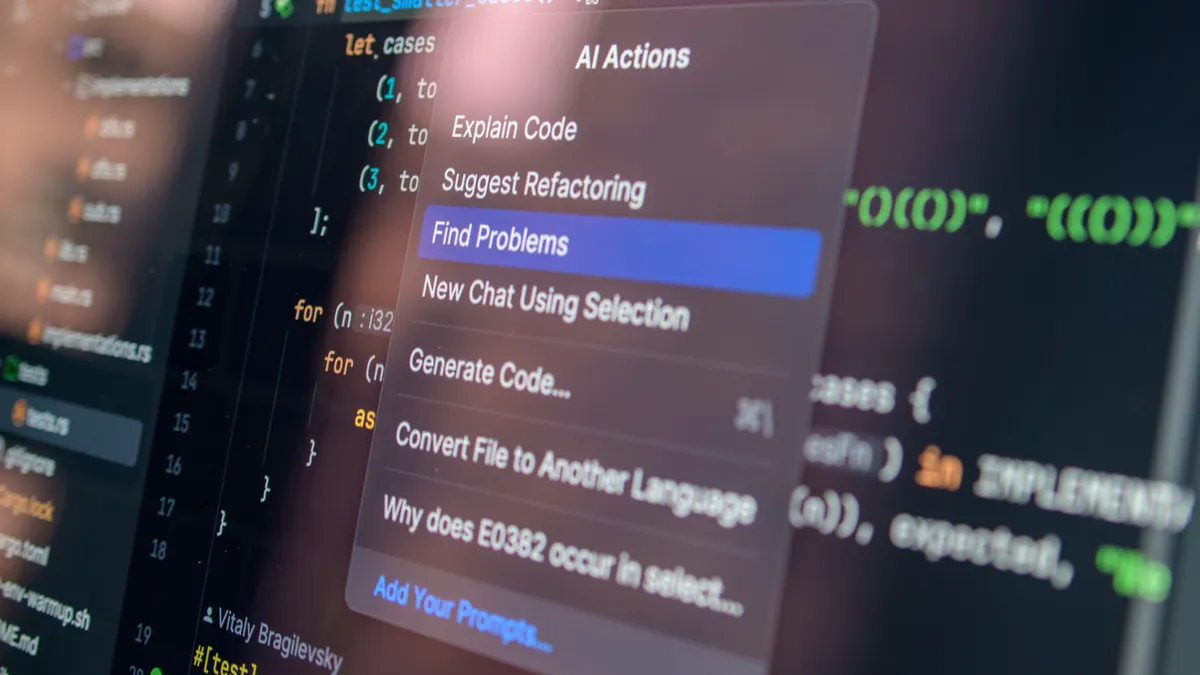
The best fit is the one that clears your editorial bottleneck, not the one with the flashiest model attached. Blank pages slow teams down in one way; approvals slow them down in another. If drafting is the pain point, a prompt-in-editor setup does the job. But if version control and sign-off are the real headache, the AI needs to sit inside workflow states, not beside them. Compliance changes the picture again: the generator should assist, not publish.
Where does the AI live? That choice comes first. A sidebar assistant in WordPress, Contentful, Drupal, or Sanity works well when editors want to stay inside the CMS. A separate generation service connected by API fits better when you need reusable prompts, logs, and tighter security. Browser extensions? They are the flimsiest option for serious teams, because they sit outside the system of record.
Then there is scope. Keep the machine on a short leash:
- outline generation
- headline variants
- first drafts for low-risk sections
- metadata suggestions
- rewriting for tone or length
Do not let it publish directly. Do not let it invent sources or fill legal claims. That road gets slippery fast.
Here is the trade-off, and it is a real one: tighter integration makes the tool more useful, but it also means more work upfront on permissions, audit trails, and fallback behavior when the model fails. A loose setup ships faster; it also invites misuse. Google’s Search Essentials still puts content quality and clarity ahead of automation alone, so the workflow has to protect editorial standards rather than sidestep them. See also OpenAI’s API documentation for secure key handling and logging patterns, and the NIST AI Risk Management Framework for governance basics.
| Situation | Best Path | Why Other Options Fail |
|---|---|---|
| Small editorial team, 1-5 writers, WordPress | CMS plugin or block editor sidebar with human review | A separate app adds friction; full automation creates publish risk |
| Enterprise content team, multi-step approvals | API-based integration with workflow states and logs | Copy-paste workflows hide authorship and make approvals messy |
| Regulated content, legal or financial topics | AI for briefs and rewrites only, never direct publish | Auto-generated full drafts can introduce unsupported claims |
| High-volume SEO content factory | Structured generation into templates plus human QA | One-off prompts are too inconsistent at scale |
Quick check: if drafting is the bottleneck, a light in-editor tool may be enough; if governance is the bottleneck, you need API control and workflow states.
How do you connect the AI to your CMS without making a mess?
Connect it through a controlled API path. The CMS stays the source of truth; the AI behaves like a draft generator. The cleanest sequence looks like this: editor action in CMS → prompt sent to AI service → draft returned into a content field → reviewer edits → publish approval.
If your CMS has a mature app ecosystem, start there before writing custom code. WordPress can use plugins and custom blocks; Contentful and Sanity are often extended through webhooks and custom interfaces; Drupal usually leans on modules or API-driven integration. Older or heavily customized systems are different. For those, a middleware layer such as Zapier, Make, n8n, or a custom Node/Python service keeps the AI logic out of the CMS core.
Use a 5-step minimum path:
- Map the content states in the CMS: draft, in review, approved, scheduled, published.
- Choose where AI can write: title, outline, body, excerpt, or meta description.
- Store prompts as versioned templates, not as random free-text boxes.
- Send the request through a secure API with role-based access control and logging; if your workflow handles sensitive data, consult a security professional and follow guidance from NIST and OWASP.
- Return the response into a draft field, then require human review before any publish action.
Separate generation from publication. That line matters. A CMS workflow should make it hard for an AI output to jump straight into a live URL. If the tool cannot show who generated what, when, and with which prompt, the integration is too loose.
For most teams, a direct API integration beats screen-scraping or copy-paste by a mile. It keeps edits inside the CMS, preserves revision history, and avoids the “which version is final?” problem. Developer help is usually required — at least one sprint, often more — and that cost is real. If your team has no developer and low content volume, a plugin is the lower-risk path.
Quick check: if you need auditability, choose API + workflow states; if you only need quicker drafts, a CMS plugin may be enough.
Which AI article generator features matter inside editorial workflows?

The useful features are the ones that protect editorial judgment, not the ones that make the demo look magical. Looking for help with writers? Inline generation, tone controls, and section-level regeneration matter. Looking for help with editors? Structured output, prompt templates, and revision history matter more. If you want managers to sleep at night, permissions, logging, and approval gates should be there from day one.
I would prioritize these capabilities:
- Structured drafts by section, not one giant wall of text
- Prompt templates for recurring formats
- Version history with rollback
- Role-based access control
- Citation or source insertion fields
- Language and tone presets
- API access or webhooks
- A way to mark human-edited content
One common mistake is buying a tool that can write but cannot fit the publishing process. A generator that dumps text into a blank editor is not enough if your CMS needs fields for slug, summary, tags, and canonical URL. If it cannot fill those slots, it becomes a novelty. For CMS teams, that is where how to integrate an AI article generator into your CMS turns into a workflow question, not just a feature checklist.
Model fit matters too. GPT-4-class systems can handle broad drafting, sure, but predictability is the real test. If the same prompt keeps producing different results, editors stop trusting it. I would take a slightly less flashy system that repeats itself well over one that surprises me every other run.
Here is a simple benchmark: can an editor spend 10 to 20 minutes shaping the AI output and move on? If not, the tool is eating time instead of saving it.
Quick check: if your current tool cannot populate your CMS fields cleanly or keep revision history, it is not ready for production use.
What to do if you publish at scale, under pressure, or in a regulated niche
Slow the integration down if the content is legally sensitive, medically sensitive, or tied to brand risk. In those cases, AI works best for outlining, summarizing, repurposing, and style cleanup, not original claims. High-volume publishing changes the priority order too; the model name matters less than workflow design. How to integrate an AI article generator into your CMS and editorial workflow at scale usually means tighter templates, narrower permissions, and a slower approval path.
Here is the path I would use for high-volume teams:
- Define article types by risk level: low-risk how-to, mid-risk product content, high-risk regulated content.
- Create separate prompt templates for each type so one prompt does not fit everything.
- Build a review checklist with required fields: source check, factual check, tone check, SEO check.
- Set human approval to a hard gate for high-risk categories.
- Use the AI to draft only the parts it handles well: intros, outlines, summaries, FAQs, and variants.
- Track edit distance or time-to-publish if your team wants to judge whether the system is actually helping.
In a regulated niche, the default advice changes. A fast workflow can create legal exposure if the AI invents a definition, overstates a benefit, or paraphrases a source too loosely. The safer approach is to connect the AI to a content brief, not a blank article. That brief should already contain the approved facts, product names, dates, and any mandatory disclaimers. For date-sensitive topics, note the approval date and the publication date in the brief so editors can verify them quickly.
Less automation, more control. That is the trade-off. Honestly, that is not a flaw; it is the price of avoiding rework, corrections, and reputation damage. If your business can absorb a bad draft but not a bad publish, bias hard toward review.
Quick check: if a mistaken article could create compliance trouble, use AI as a drafting assistant, not as a publishing engine.
When the standard advice is wrong
Standard advice falls apart when the CMS, the team, or the content rules are unusual. Solo publishers do not need a heavy integration stack. Headless CMS setups with custom front ends can break a plugin-first plan. Teams that already draft in Google Docs may slow down if they force everything into the CMS too early. And multilingual publishing needs language-specific prompts plus review, not one English prompt translated afterward.
Here are the edge cases that change the answer:
-
Situation: You need 20+ articles a day.
What changes: Prompt drift becomes a real problem.
What to do instead: Use locked templates, reusable sections, and batch generation through API. -
Situation: Your CMS is headless, like Contentful, Sanity, or Strapi.
What changes: The front end is separate from the content store.
What to do instead: Integrate via API and workflow hooks, not browser automation. -
Situation: Your editors live in Google Docs.
What changes: The CMS is not where drafting happens.
What to do instead: Generate briefs or first drafts in Docs, then sync approved content into the CMS later. -
Situation: You publish in multiple languages.
What changes: Direct translation is not enough.
What to do instead: Build separate prompts per language and use native speakers for final review. -
Situation: You need strict brand voice.
What changes: Freeform generation will wander.
What to do instead: Feed the model style samples, banned phrases, and approved terminology. -
Situation: Your legal team must review everything.
What changes: Speed matters less than traceability.
What to do instead: Log prompts, outputs, edits, and approvals in the CMS or middleware.
If your plan treats every content type the same, it is probably wrong. The right integration follows the risk. Low-risk content can move faster; high-risk content should pass through more gates.
Quick check: if your team has more than one content type, you probably need more than one AI workflow.
What the setup should cost you in time and maintenance
It should cost less in editing time than it costs in upkeep. That sounds obvious, yet it is where many teams misread the fit. A plugin that saves 15 minutes per draft but creates weekly cleanup is no win. A custom integration that takes two weeks to build and then runs for months with little babysitting can be worth it.
Think in terms of operating cost:
- prompt maintenance
- review time
- developer support
- permission management
- model switching when quality slips
- compliance oversight
The hidden cost is editorial trust. If writers do not trust the output, they will ignore it. If editors have to rewrite everything, they will resent it. If management expects fully automated publishing, disappointment shows up fast. The middle ground is assisted drafting: the machine handles the blank page, and the human handles the argument.
I would be cautious about any setup that promises fully automatic article generation inside the CMS for a serious publication. That is the wrong choice for teams that need accuracy, nuance, or brand protection. It can make sense for templated, low-risk content, but not for work where the article’s value comes from judgment. According to the Content Marketing Institute and CMI research, editorial process usually matters as much as output volume, which is why the integration should support review rather than replace it.
Quick check: if the AI saves less time than your team spends fixing its output, stop and narrow the use case.
How to roll it out without wrecking the editorial process
Roll it out in stages. Start with low-risk content and one editor who can give blunt feedback. A phased launch beats a big-bang rollout almost every time.
Use this 6-step path:
- Pick one content type with clear structure, such as FAQs, product comparisons, or internal knowledge-base articles.
- Limit the AI to one or two fields at first, such as outline and intro.
- Set a review checklist that names the exact failure modes you expect: hallucinated facts, weak headlines, wrong tone.
- Have editors compare AI-assisted drafts against normal drafts for 2 to 4 weeks.
- Expand only after the workflow is stable and the team still wants to use it.
- Document prompt templates, approval rules, and rollback steps before scaling.
Keep the rollout calm and predictable. That is what protects the CMS workflow. It should not feel like a moonshot. It should feel like a controlled addition to an existing process. If the pilot already creates confusion, do not widen the blast radius.
You also need an exit plan. If the model quality drops, the API changes, or the vendor raises the price, can you turn the feature off without breaking publishing? That question matters more than any demo.
Quick check: if you cannot disable the AI path without stopping publishing, the integration is too fragile.
Frequently asked questions
Can I let an AI article generator publish directly to my CMS?
I would not do that for most teams. Direct publish is only defensible for very low-risk, highly templated content, and even then you should confirm the workflow with your CMS vendor and security team.
Drafted with AI; not yet reviewed by a person.